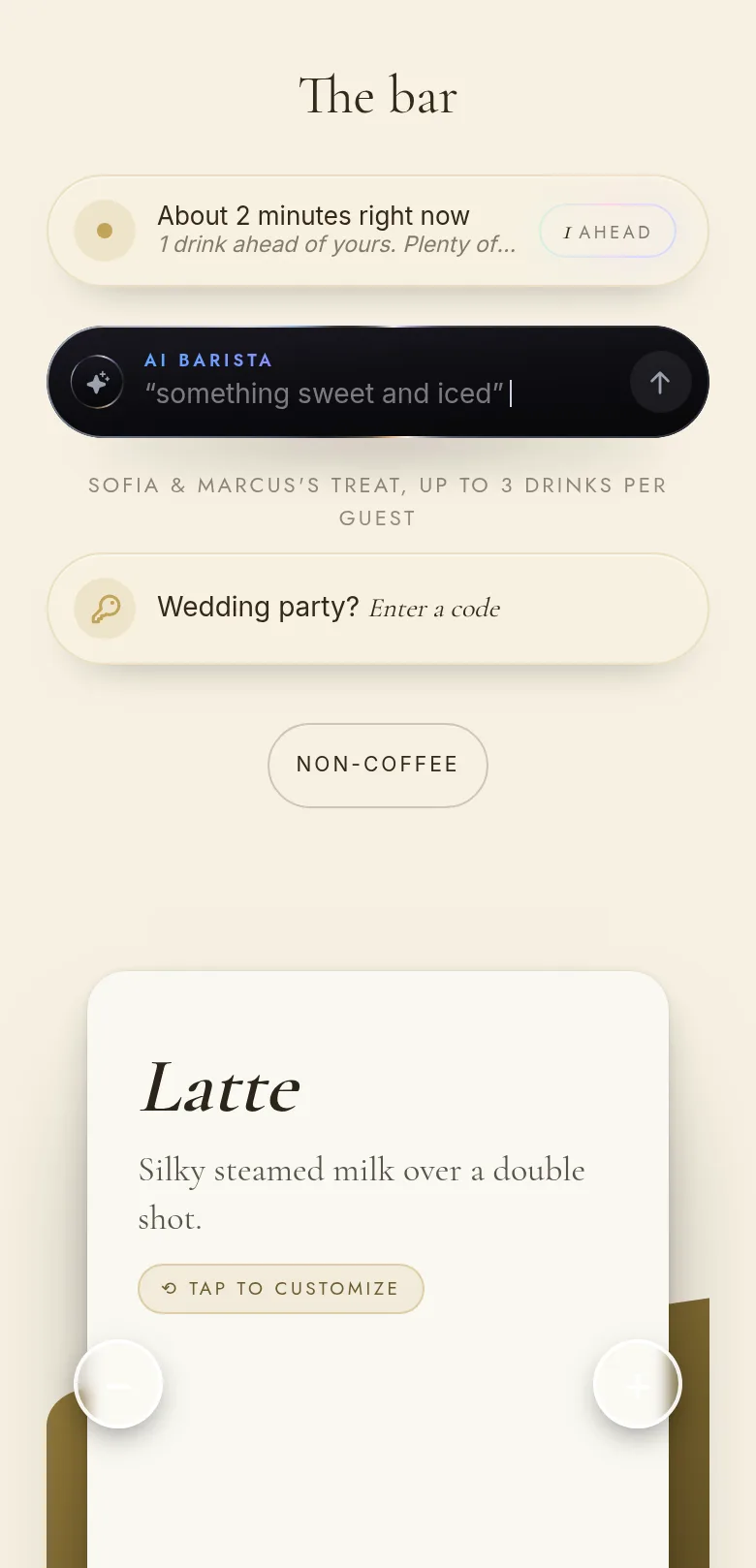
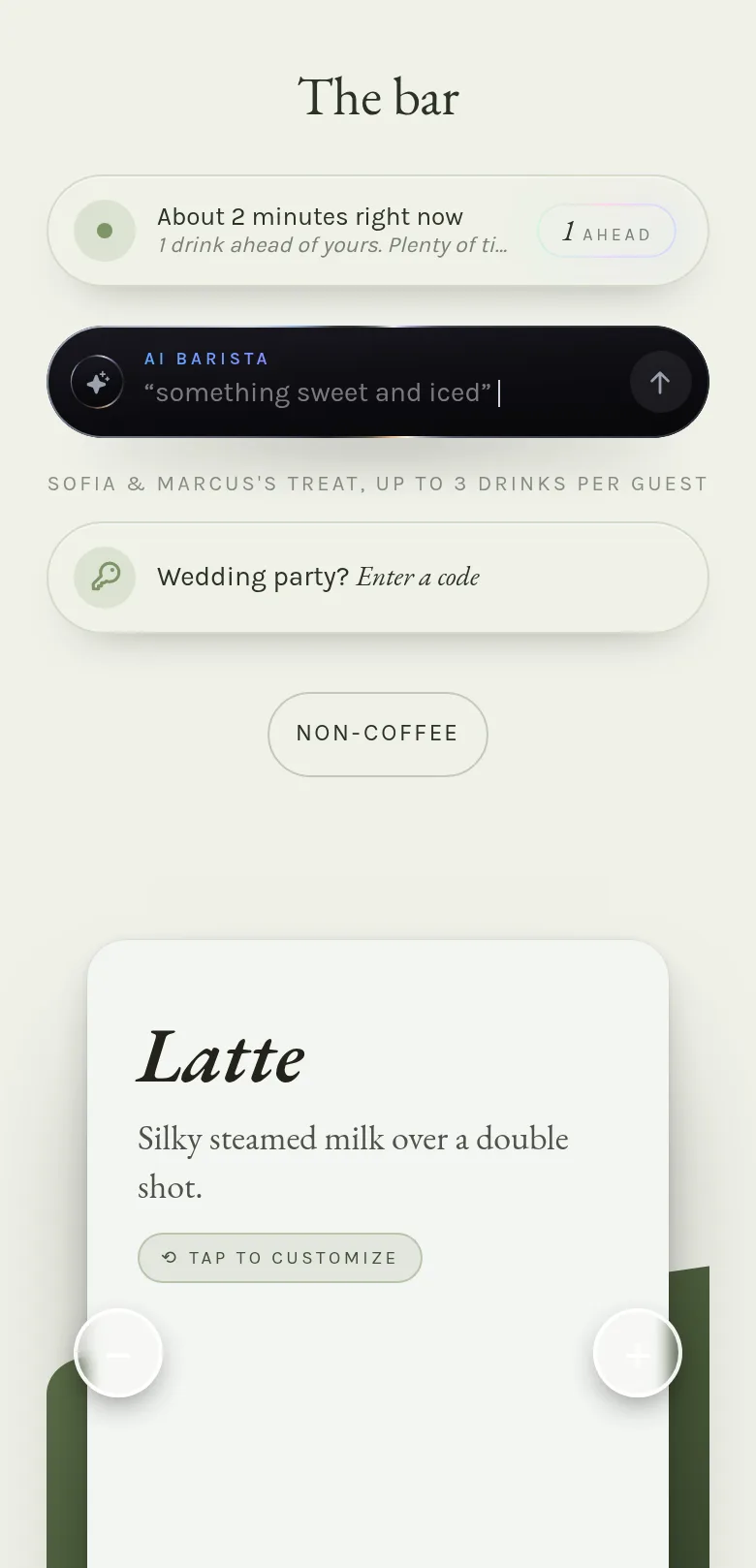
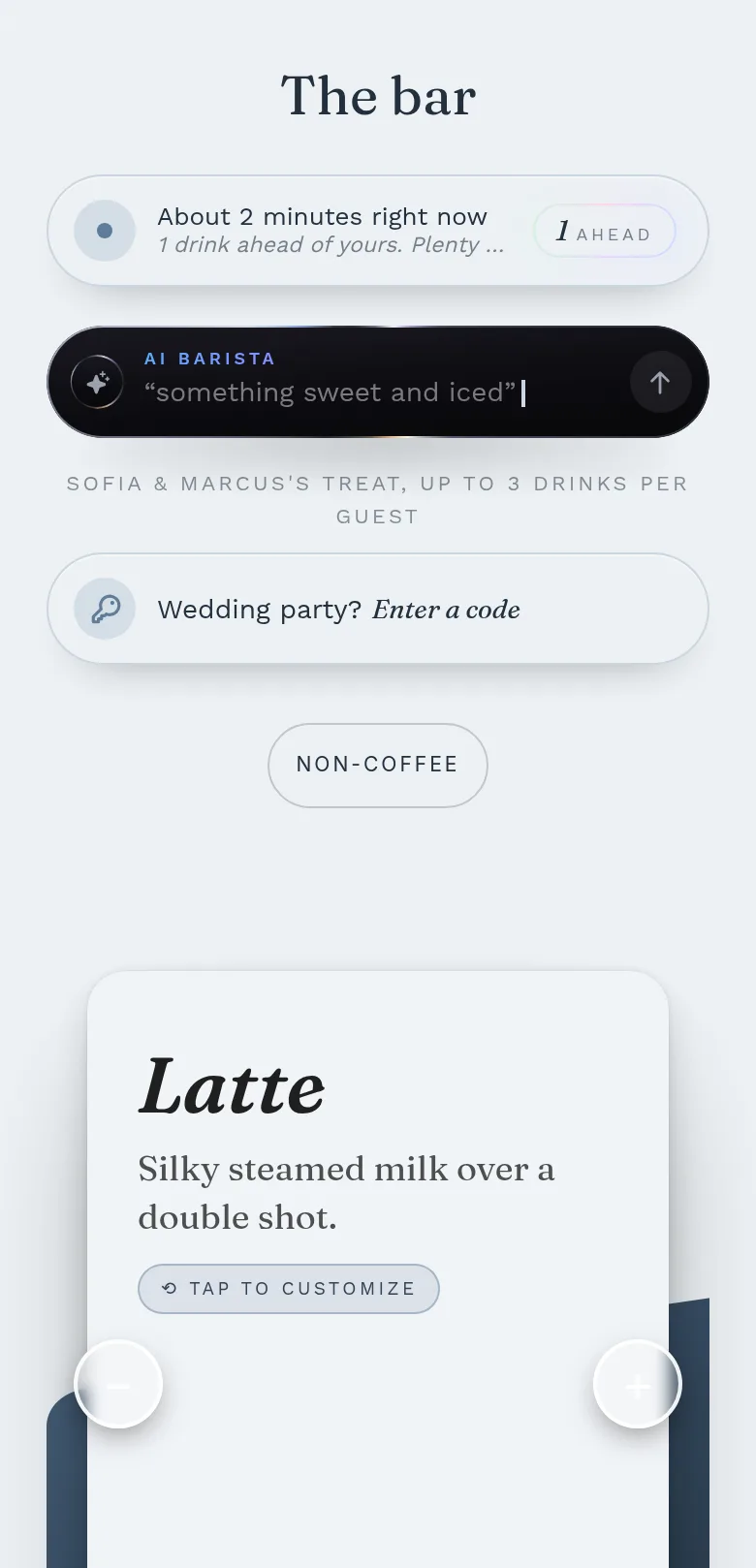
Their drinks, their story.
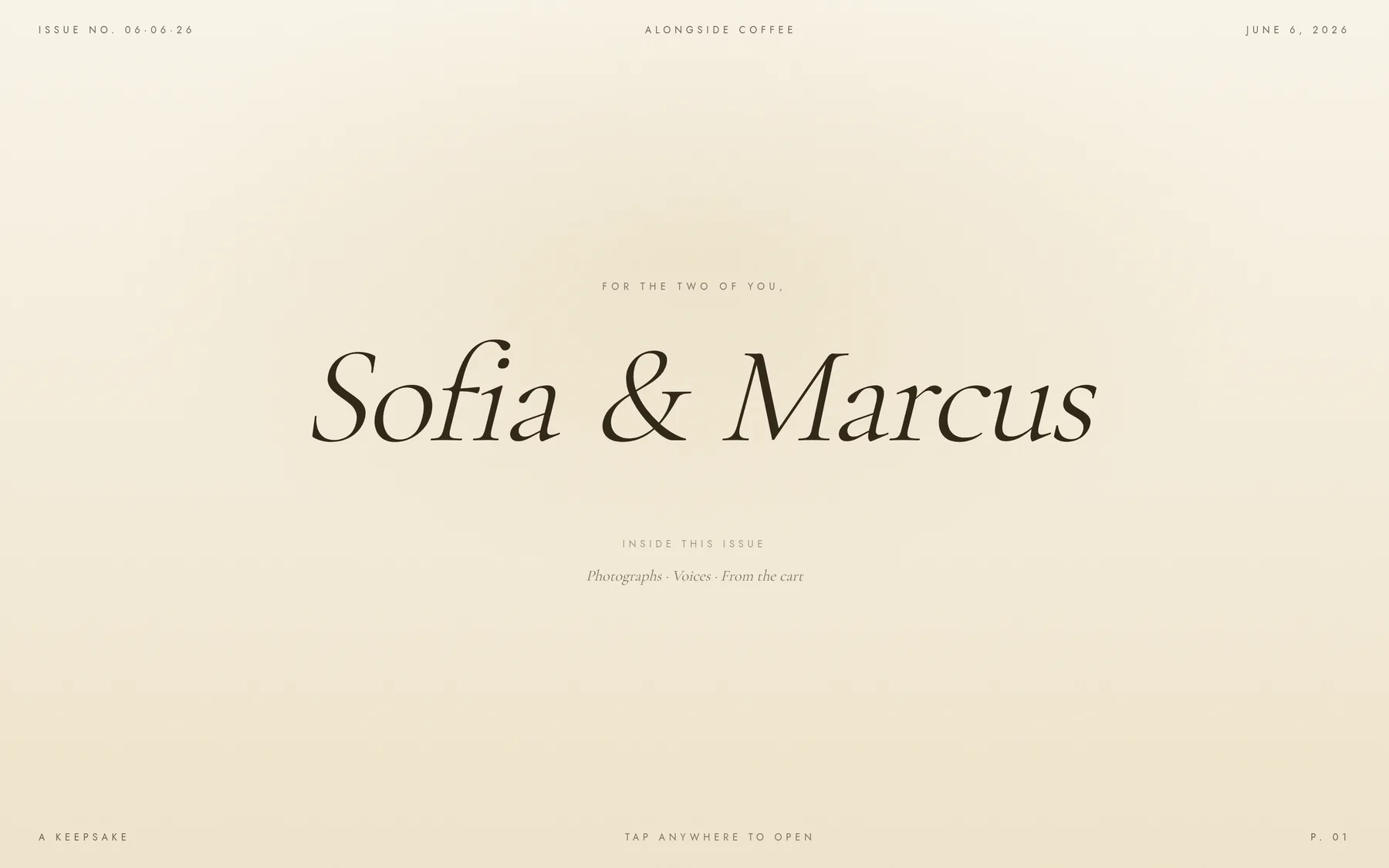
Their bar in their colors. Drinks named for them. A magazine-style recap they share the next morning. Every wedding gets the full editorial treatment.
The guest experience that wins you the wedding — QR ordering, an SMS to every guest when their drink is ready, and a keepsake recap the couple shows off. Built by an actual coffee cart, for coffee carts. Private beta now; public launch October 16. Want early access?
Your first event is free — no card needed.
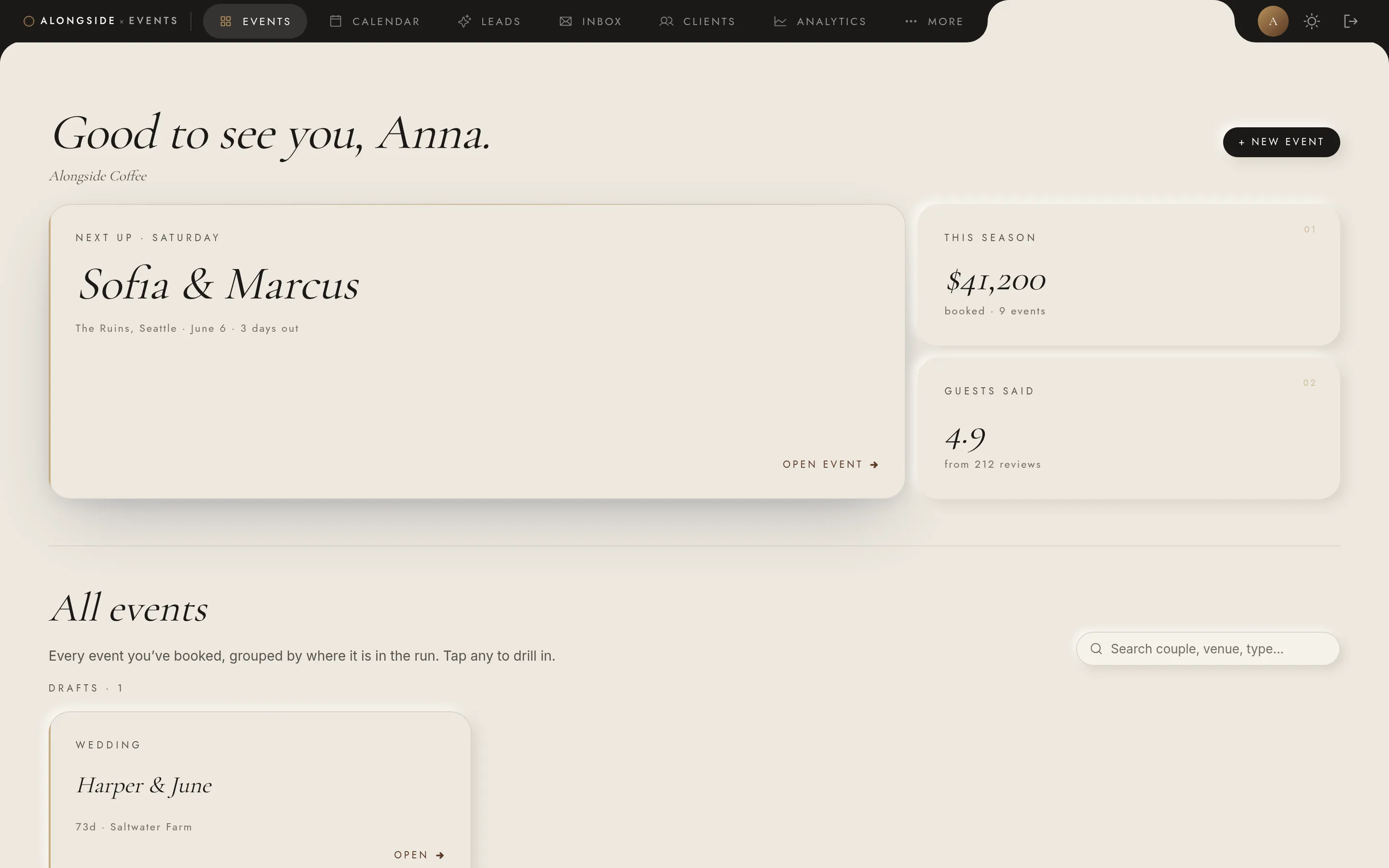
The version Anna uses on Saturday is the version you’ll use on yours.
It wins you the booking, lets you quote for the experience, and makes the pour the calmest part of the night.
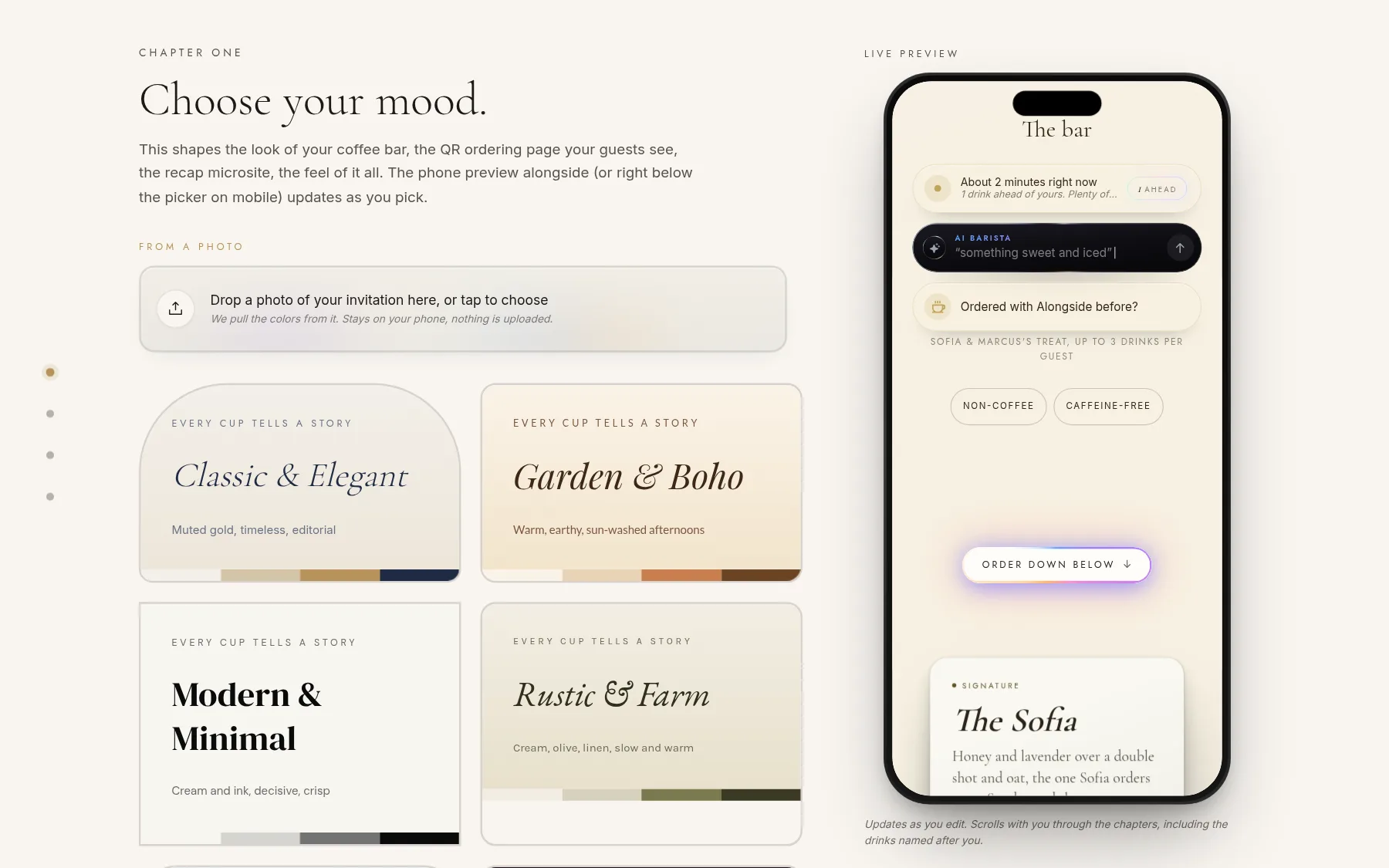
You set the event up in minutes — menu, modifiers, brand. Then a private link goes to the couple. They pick a palette, write a welcome note, upload a monogram, and name a few signature drinks. The bar shows up looking like theirs.
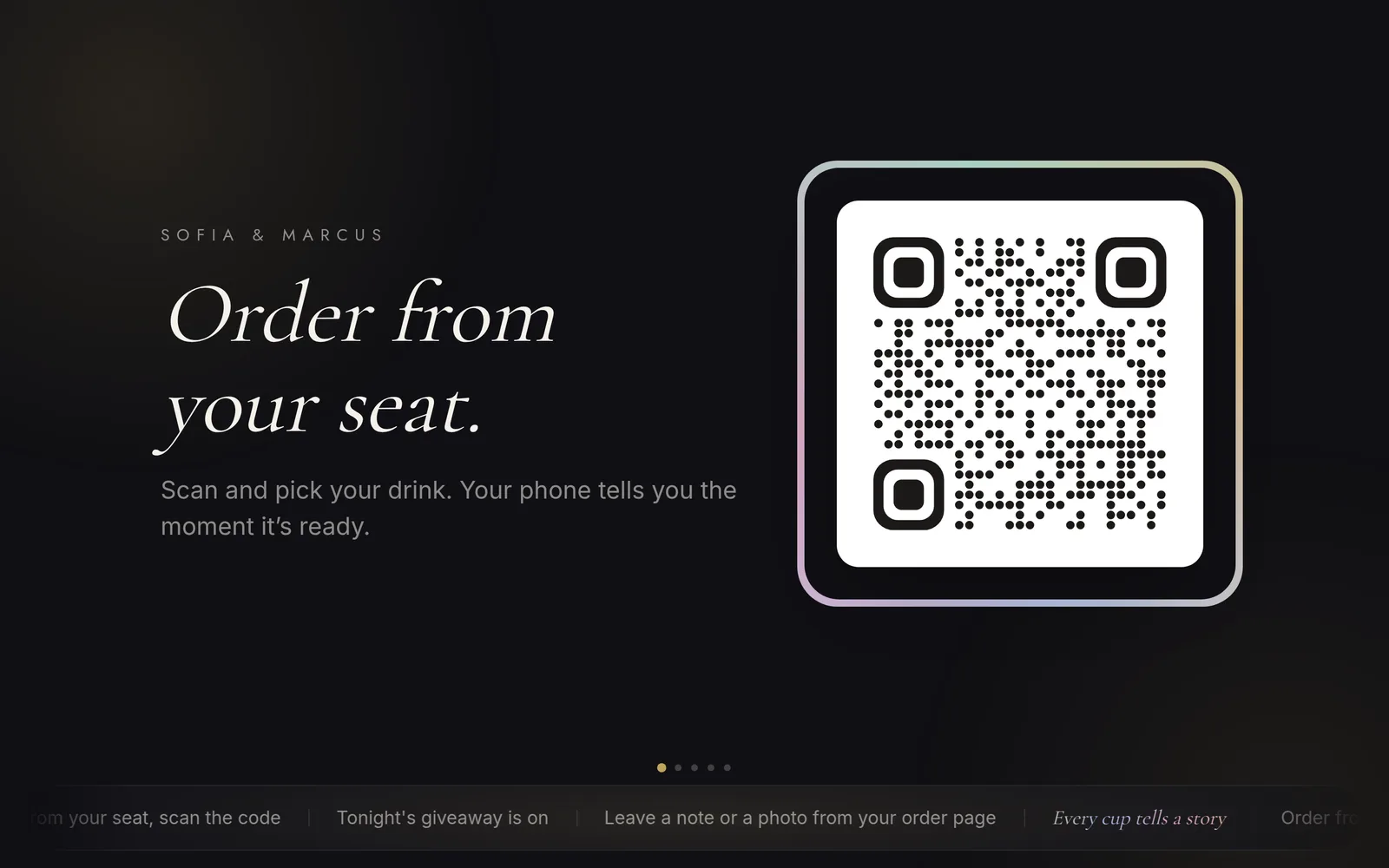
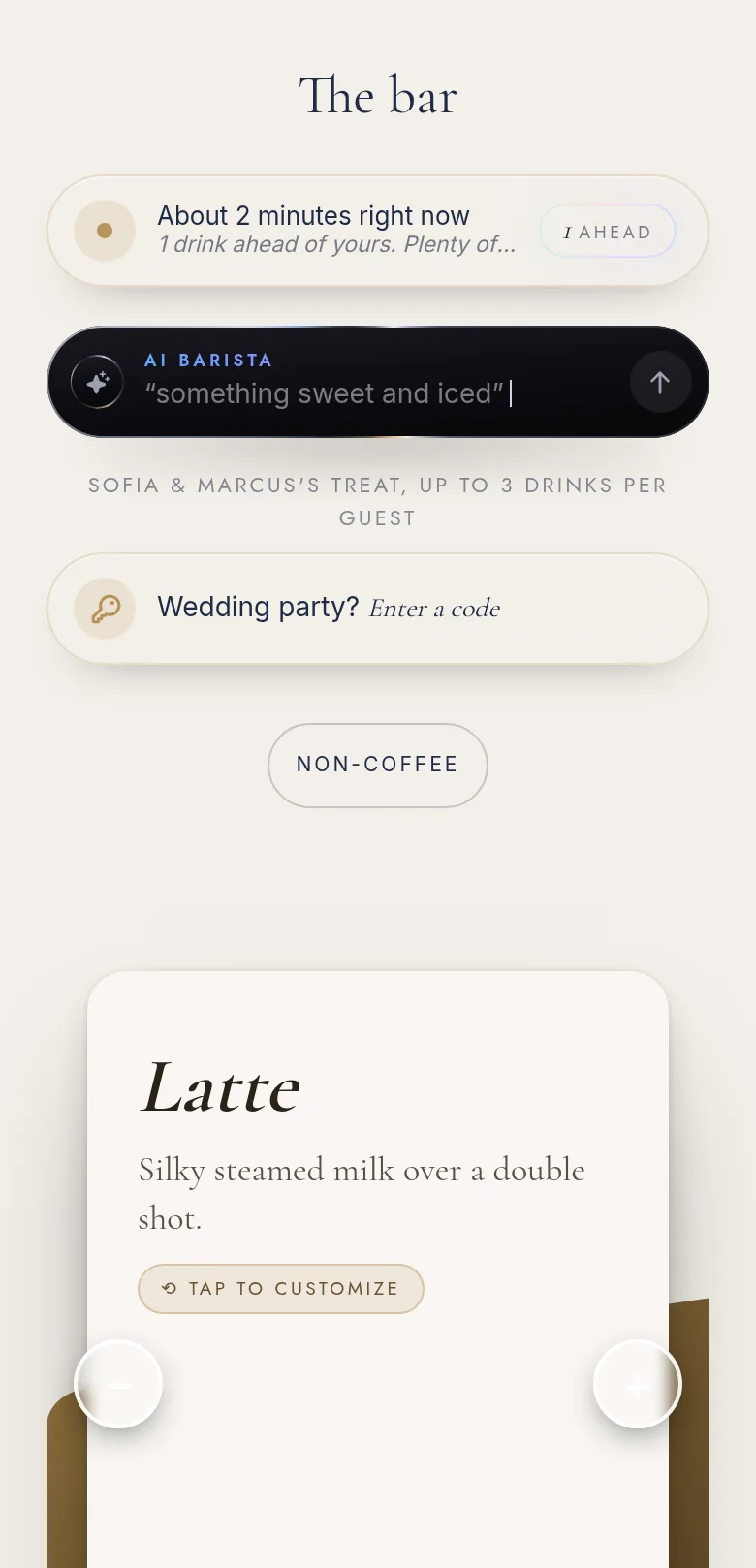
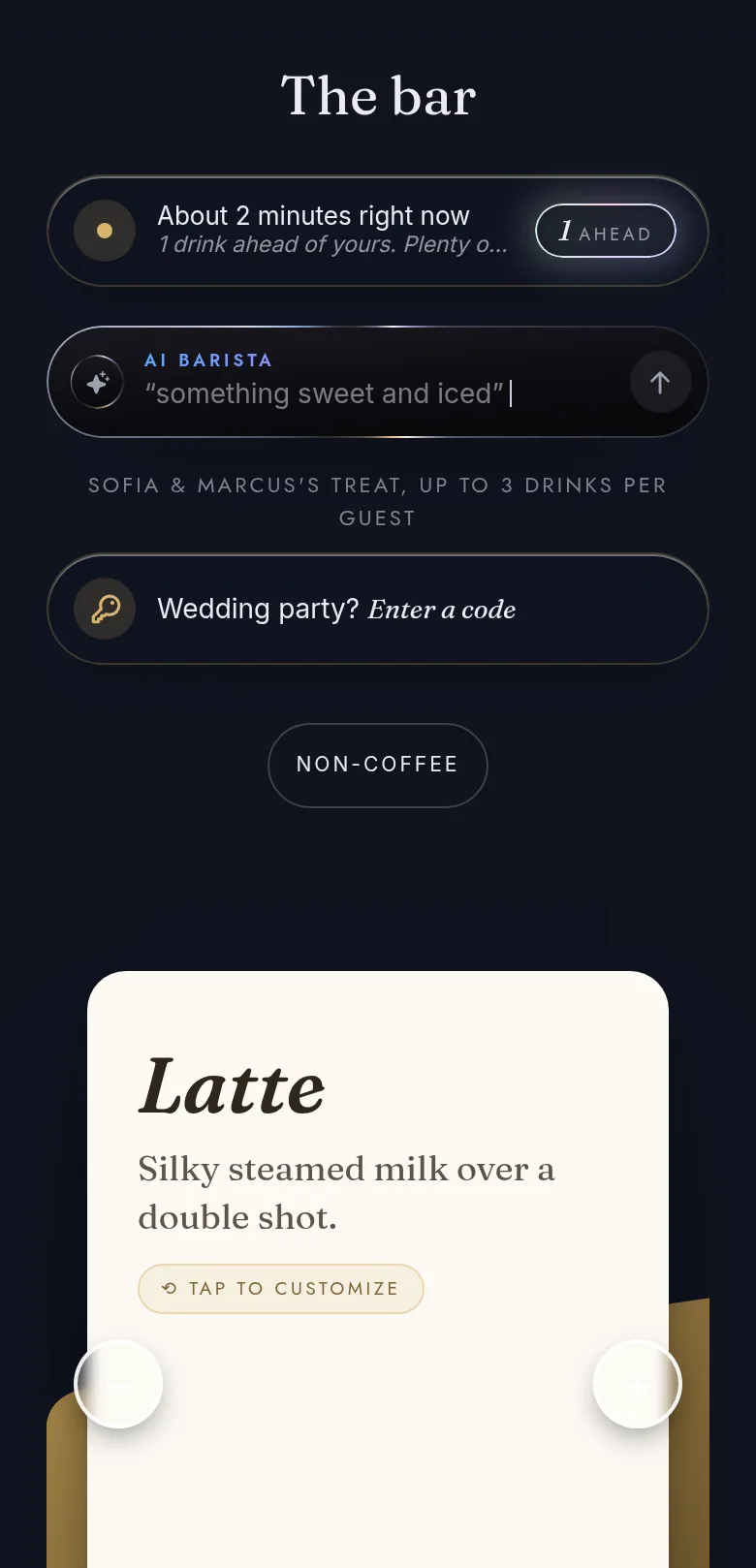
Guests scan and order from their seats — or walk up and ask. Both flow through one queue. A text goes out the moment each cup is set down. No line. No name-yelling over the band.
When the night ends, the couple gets a private recap — a one-issue magazine with their monogram, the photos and notes their guests left, the night by the numbers. They share it the next morning — and every guest who opens it sees your cart.
The bar opens quietly. No one is in line yet. The room is still hugging in the back.
On your side: you flip the bar open from the iPad — that's the whole setup.
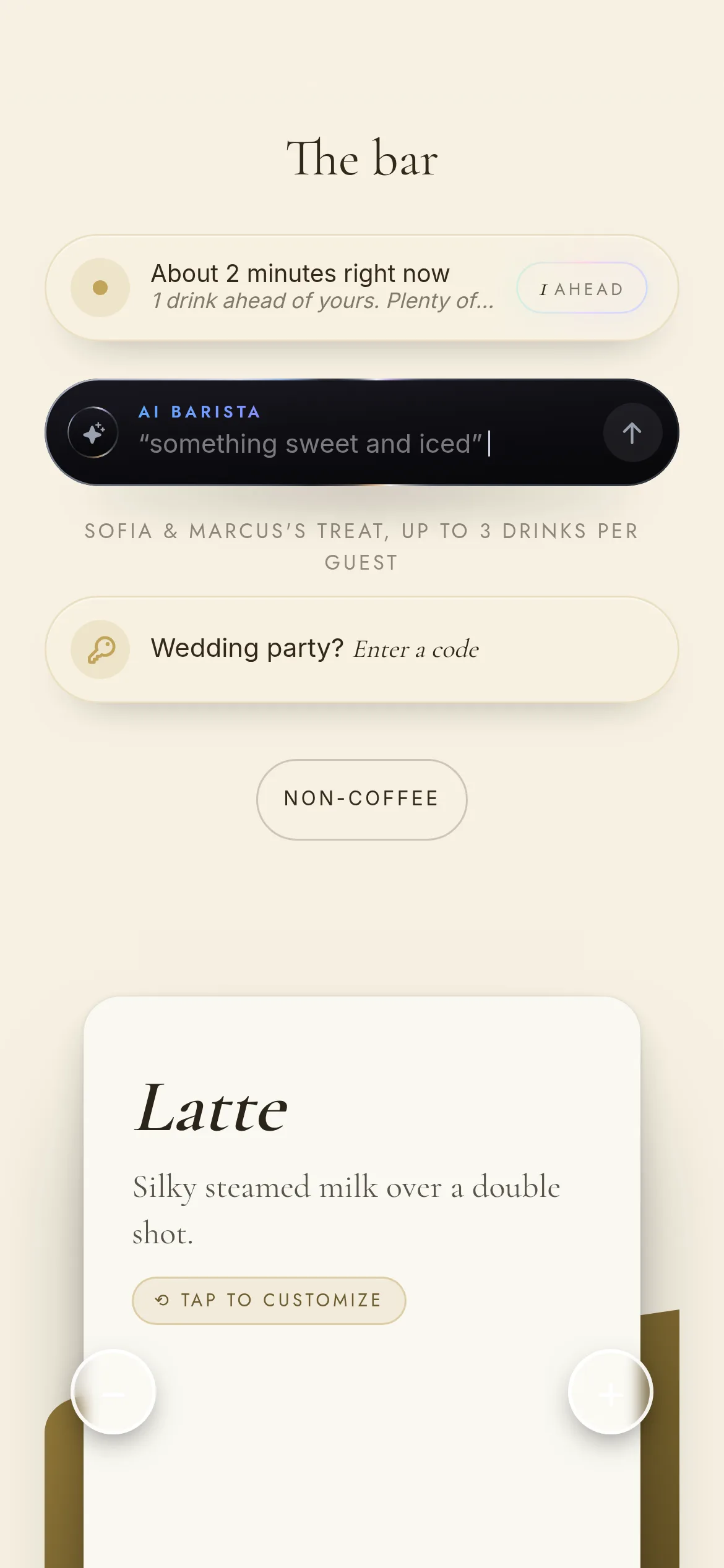
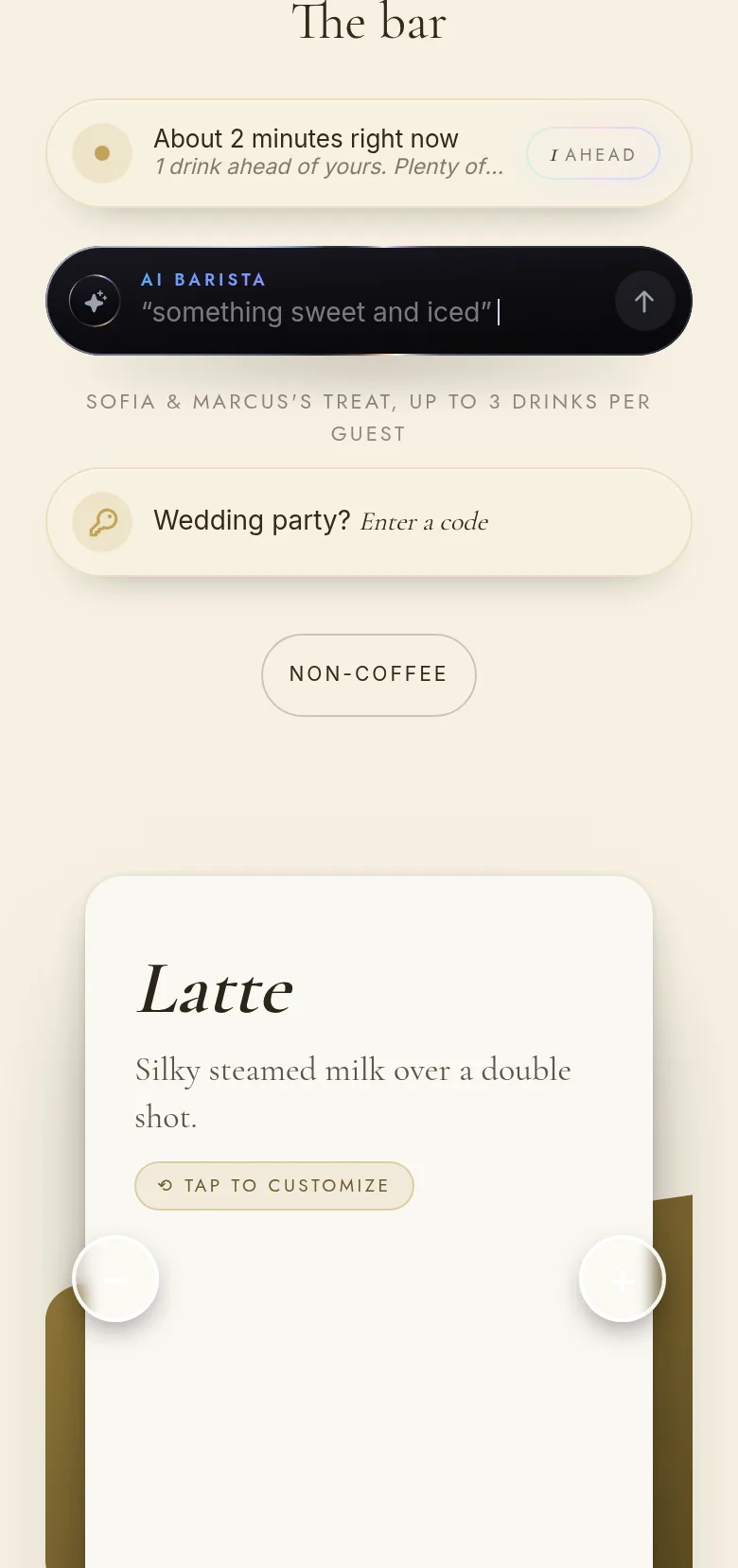
Guests order from their seats. They get a text when their drink is ready. Nobody waits at the bar.
Their phone
Your colors. Your fonts. Your drinks.
Their barista
An AI barista reads the live cart and builds their drink for them.
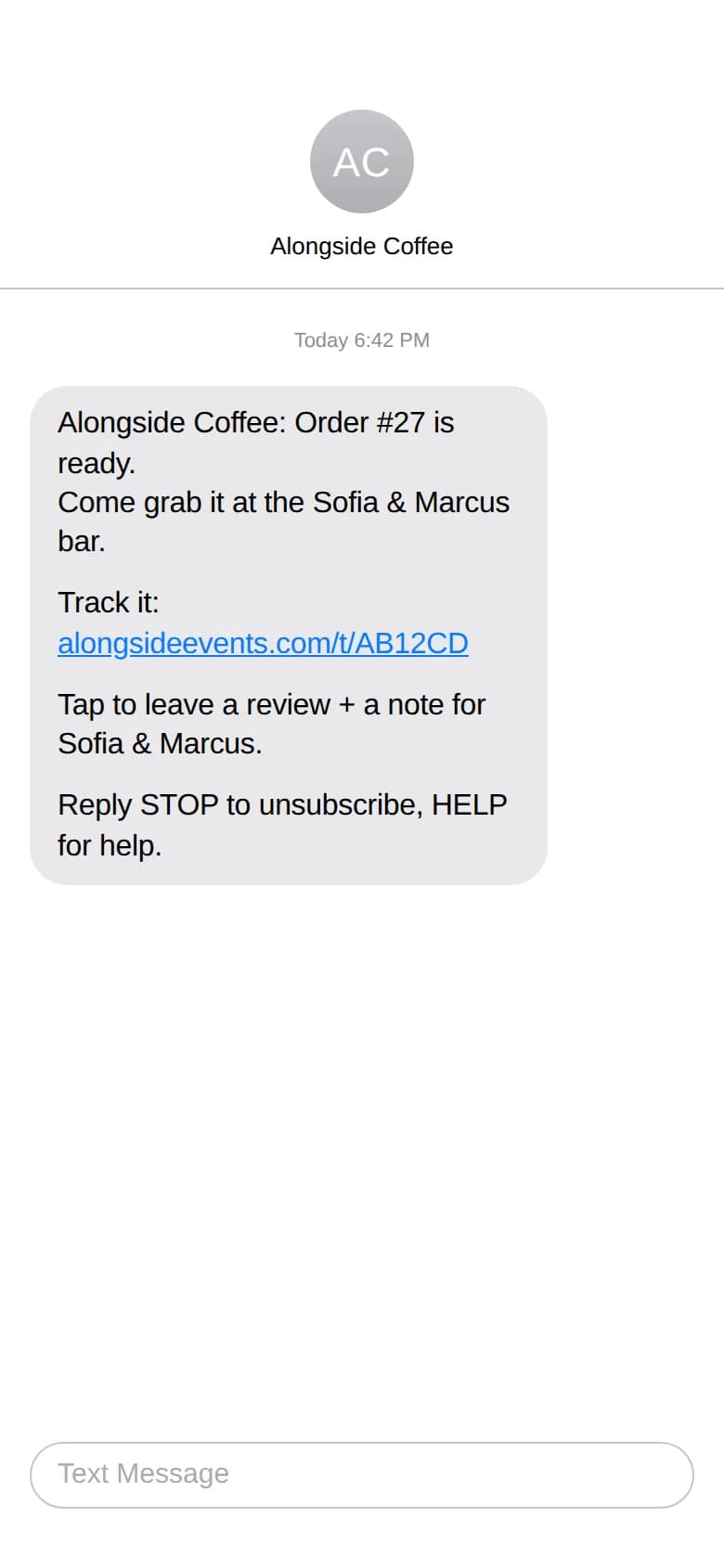
Their text
Lands seconds after the barista hits ready.
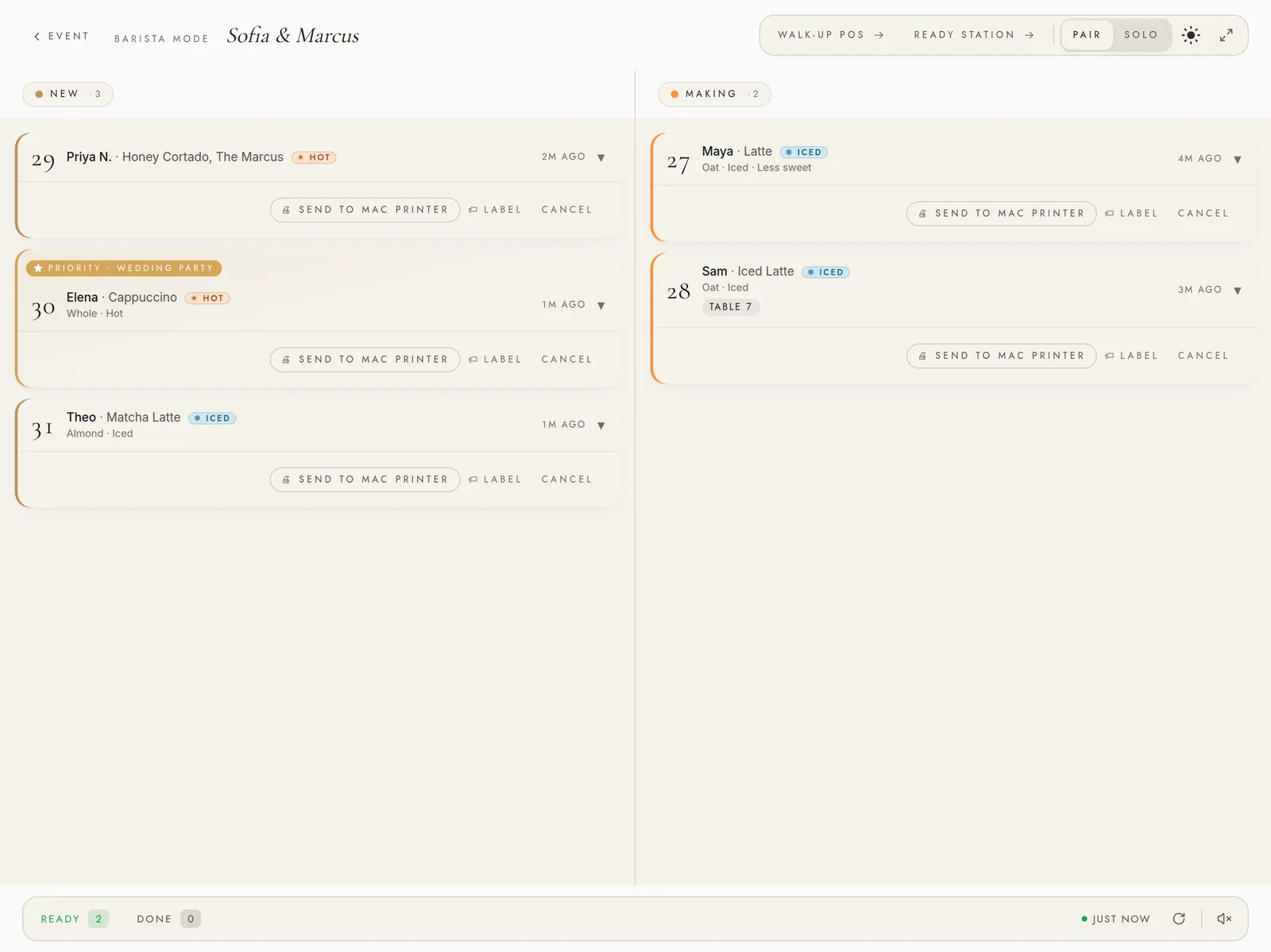
On your side: walk-ups and QR orders land in one queue you can run solo.
Forty orders in an hour. The queue keeps them straight, the board calls them up, and every guest still gets their text.
The queue
Walk-ups and QR orders in one line, oldest first.
The board
Ready numbers light up at the pickup station.
Their drinks
The couple's signature picks — The Emma, The Toast — set up weeks ago. You just pour.
On your side: solo mode collapses it all onto one screen when it's just you.
Guests leave a photo and a note from the same QR they ordered from — the raw material for the keepsake.
Their hand
Polaroid uploads from the QR.
Your queue
You approve before anything goes public.
Forever
Every kept moment lands on the keepsake.
On your side: nothing goes public until you approve it.
A magazine-style recap lands in the couple's inbox the next morning — a cover they choose, the notes they star leading the page, and a pack of share cards made from their night. Theirs to keep. Theirs to post.
The cover
Your names, your palette, your monogram.
The pages
Photos, voices, the night by the numbers.
The share
One tap to Instagram. One link forever.
On your side: every recap they share puts your cart in front of the next couple getting engaged.
Private beta now — public launch October 16.
Your first event is free — no card needed.
Weddings, birthdays, anniversaries — same app, same price, same operator screen. Set the occasion and the whole night dresses to match.
Their bar in their colors. Drinks named for them. A magazine-style recap they share the next morning. Every wedding gets the full editorial treatment.
Themed templates, hero photo upload, scheduled toast prompt over SMS, and a compact recap variant — private events that aren't quite weddings, treated like the milestones they actually are.
Guests scan from their seat, watch their drink move up the queue, and get a text the moment it's ready — then leave a photo and a note that end up in the host's keepsake.
Alongside Events isn’t a startup that studied weddings. It’s the tool a working coffee cart built for itself — and still runs every weekend.

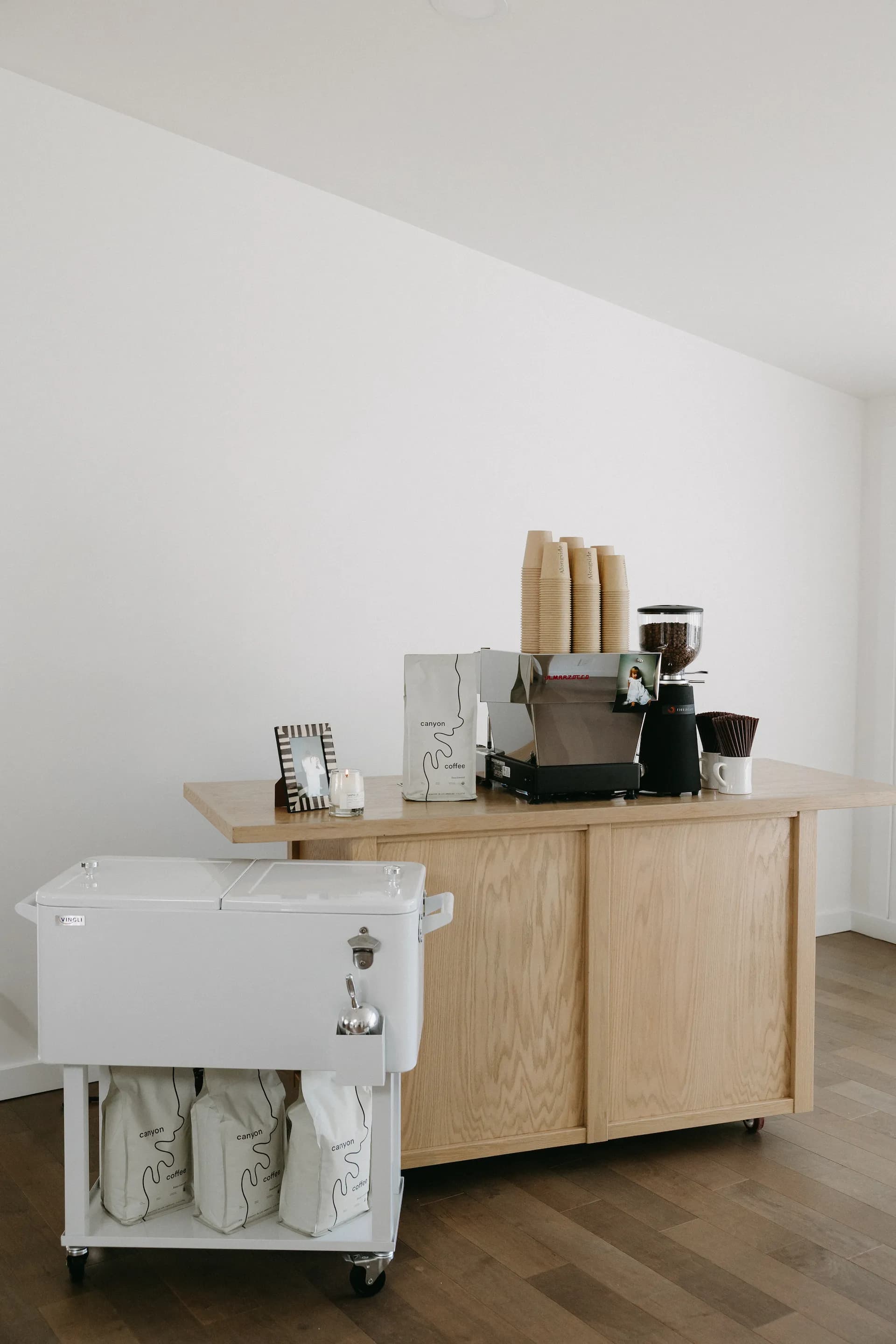
Anna runs Alongside Coffee — a mobile espresso bar in Auburn, WA. Weddings, mostly — the kind where every detail is the couple’s. The clipboard was always the bottleneck, and the tools we tried (Square, paper tickets, a Google Form) never fit a wedding. So we started building the one that would.
She also runs operations at FUBC Coffee, the shop at our church — where a lot of what’s in Alongside was proven first.
Every feature here was shaped by the work of actual events — the rhythm of a ceremony, the rush of a cocktail hour, the quiet moment when guests line up for their first cup of the night.
Roman is Anna’s husband — a senior engineer. Portfolio at romankucheryavyy.com. Alongside Events started as a weekend project to make Anna’s next wedding less stressful. It got useful enough that we’re opening it up to the operators who want it too.
“Anna runs Alongside Events at every wedding we do. If something feels off, it’s because we haven’t hit that case yet — tell us, and we’ll fix it before your Saturday.”Roman · the software
Your first event is free. After that, $30 runs a beautiful event — or go Studio at $79/mo for unlimited events plus your own branding and the full back office. Win one extra booking with it and it’s paid for the year.
Run your first event end-to-end — the full event experience, on the house.
Every feature unlocked — see the full comparison below.
Get early accessEverything you need to run one beautiful event. You only pay when an event actually runs.
Every feature unlocked — see the full comparison below.
Schedule a walkthroughRun your cart as a business — unlimited events, your own branding, and the full back office.
| Free | $30 | $79/mo | |
|---|---|---|---|
| QR ordering + walk-up POS through one queue | |||
| Ready-SMS the moment each drink is done — consent-first, TCPA-safe | |||
| Recap keepsake microsite + photo wall + guest notes | |||
| Couple customization + AI signature drinks they name | |||
| AI barista chat — reads the live cart, drops the drink in their cart | |||
| Realtime barista mode (solo / pair) + vibe meter | |||
| Drink caps, tip-jar QR, menu layouts + label printing | |||
| Native iOS operator app for the cart | |||
| Optional espresso-machine link (La Marzocco Home, Beta) — shot-drift watch + machine-verified recap numbers | |||
| Events included | 1, free | $30 each | Unlimited |
| Your branding on the recap (no Alongside credit) | — | — | |
| Corporate & private event types — departments, cost centers, toast | — | — | |
| Concierge mode + read-only staff / vendor link | — | — | |
| VIP priority codes | — | — | |
| Client CRM — leads, clients, repeat-booking history | — | — | |
| Quotes, invoices & e-sign contracts | — | — | |
| Pricing calculator + analytics — date/type/client filters, saved views, custom report builder, CSV export | — | — | |
Start with your first event — free.
No card needed · public launch October 16.
We don’t take a cut of your drink sales. One flat price covers everything. Seasonal businesses deserve seasonal pricing.
Comparing tools? See how we compare.
Square is a register — payments and receipts. We’re the event layer above it. Guests order from their phones, the cart isn’t a checkout line, the couple shapes the bar beforehand, and there’s a keepsake after. Most operators keep Square for the rare paid-drink event; the two don’t overlap.
Paper works. We replace it with three things you can’t do on paper: (1) the guest gets an SMS the moment their drink is ready, no name-yelling at the bar; (2) walk-ups + QR orders share one queue with cup-label tracking so nothing falls through; (3) the host gets a magazine-style recap of the event. If those don’t matter for your gigs, paper is genuinely fine.
Those are full POS systems with hardware, payment processing, inventory tied to SKUs, and a monthly fee designed for restaurants. We’re event-software-only — no card reader, no payment processing, no monthly base fee at the per-event tier. Toast is for a cafe; we’re for the cart that pops up at a wedding or a private celebration.
Yes. Lots of operators run Square at their main shop and Alongside at their event side-gigs. They don’t share data — by design. Your Square sales stay your Square sales; your event clients stay in your Alongside client list.
Three things the QR-only tools don’t ship. First, the host’s bar — a customizable page with their palette, monogram, welcome note, and signature drinks they name themselves. Second, the keepsake — a magazine-style recap they share the next morning, with a cover they choose, the guest notes they star leading the page, and a share pack of Instagram-ready cards in story, post, and square sizes. Third, the operator-side rig that makes the day-of calm — per-drink ready station, walk-up POS with TCPA-safe consent, drink-cap policies, priority code for VIPs, cross-iPad sync, vendor-staff link, client roster, analytics, print-ready signage, and a native iOS cart app. Plus the quiet safeguards that keep the day calm — spam protection, safe test events, a guardrail on every text. Price: first event free, $30 per event after, or $79/month. No per-cup fees. No contract.
Yes. Pick “private event” when you create it and the surface adapts: a guest-of-honor field, an occasion picker (birthday / anniversary / housewarming / dinner), themed palette presets, a hero photo for the recap, and a scheduled toast-prompt SMS that nudges guests to leave a note partway through the night. Same price — first event free, $30 each after. Corporate offsites (cost centers, brand co-display, multi-day) are in a design-partner preview; email us if that’s your calendar.
100 sends on the free first event, 1000 on paid events. That covers ~500 orders. If you have a bigger event coming, email us and we’ll raise it.
No, never. Alongside doesn’t touch payment for drinks — operators charge guests their own way (free for the couple, drink tickets, tabbed bar). We just run the ordering and the keepsake. The $30 is the platform, not a per-cup share.
No. Barista mode shows the queue on the iPad and the barista writes the order number on each cup with a Sharpie — fast, foolproof, no extra hardware. Label printer integration is in private beta on our own carts; if you specifically want it for your event, email us and we’ll set it up by hand.
Yes — colors, typography, monogram, background effects, the welcome note, and the drinks themselves. The couple names their own signature drinks (we offer a quick questionnaire if they want help shaping them). They get an edit link before the event and can tweak anything without you in the loop. The page they shape is the page their guests scan into.
A guest taps “Ask the barista” on the menu and chats in plain language — “something sweet and iced, not too strong?” — and it recommends from your live menu and drops the drink straight into their cart, built the way they asked (iced, oat, caramel). It knows your real options per drink, honest caffeine numbers, allergens the operator flagged, the live wait, what’s been popular tonight, and — if your espresso machine is connected — whether the bar is warming up or pouring. It only ever suggests real menu drinks, and always points guests to confirm allergens at the cart. It can even answer “can I book this cart for my own party?” with your booking link.
If you run a compatible La Marzocco Home machine, you can link it — optional, opt-in, and currently Beta. The barista screen then watches your shot times and flags grind drift (“running ~4s slow, check the grind”), and the couple’s keepsake recap can show real, machine-verified numbers: shots pulled, the busiest fifteen minutes, and a shot-consistency score. It’s an unofficial integration with La Marzocco Home — they don’t publish an API — so it’s best-effort and can change if their app does. We never store your password — change it and the machine disconnects instantly.
Yes. A guest checks an explicit opt-in on the order form before any text fires, and every message identifies the sender, names the reason, and carries STOP / HELP. Most guests get two — an order confirmation and a ready alert. If they enter the giveaway and win, you can send them their prize as well; you read that one first and send it by hand. A guest who replies STOP hears from you again never.
Turn on the giveaway. While a guest waits for their drink, their order screen shows what’s on offer — a gift card you bought, presented as a real card they can tilt in their hand — and the three small things that enter them: a number, a note for the couple, and a review. At the end of the night you draw from everyone who did all three, and the winner opens their card on their own phone. Any brand, any amount — you type in the card you bought. The notes and photos reach the couple’s keepsake either way.
Your data is yours alone — no other operator can read your client list, your menu, or your guest contacts. Guest phone numbers are deleted about a week after the event. We never sell, mine, or share them. Full details in our privacy policy.
Two safety nets. Auto-throttle pauses new orders for a couple minutes when the queue hits a depth you set. Manual pause is a one-tap button. Orders sitting more than 15 / 30 minutes glow louder on the queue so nothing slips.
Toggle Solo mode in the barista header. Solo collapses everything into one screen for a single barista. Pair mode splits across two iPads when you have help.
A couple of minutes once you’ve done it once. The first event is the longest — that’s where you pick templates, add your menu, upload the cart photo. After that it’s mostly clone-and-adjust per booking.
Their own phones. They scan the QR, the microsite loads, they pick a drink. Nothing to download — works in any modern browser. We text them once when the drink is ready.
A private magazine-style keepsake the couple gets the morning after — cover with their monogram, photos guests took, handwritten notes, drinks of the night. Save as PDF or share to Instagram. Yours forever.
Set a lean (iced or hot) and the guest menu quietly re-ranks so the matching drinks land on top. No banner. No nag. The menu just leans.
Yes — book a 20-minute walkthrough with Roman. He’ll spin up a sample event, run a few orders through the queue, and show you the recap. No slides.
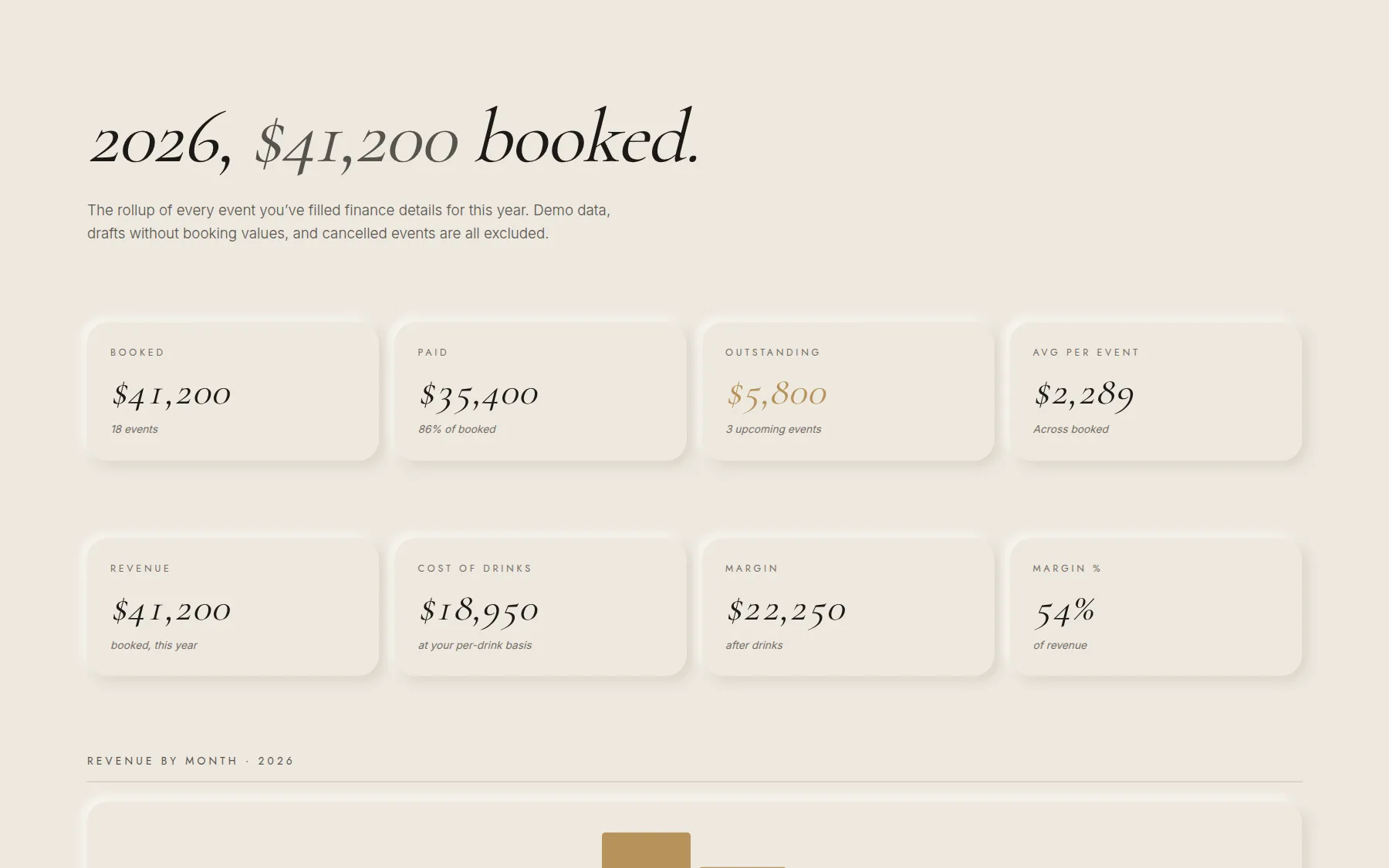
Unlimited events at no per-event charge, plus the analytics and client roster that turn Alongside into the booking system itself. You see booked revenue YTD, what’s outstanding, repeat-client rates, and a pipeline view of every event from inquiry to wrapped — the same numbers you’ve been keeping in a spreadsheet.
Operators booking three or more events a month. At that volume the per-event charges match the subscription, and you’re keeping a separate spreadsheet anyway. Studio replaces the spreadsheet and pays for itself from the third event.
Yes. The client list is org-scoped (only you see your clients) and tracks every event ever attached to that client — repeat bookings, total spend, last booked date. New event creation lets you attach to an existing client so the history compounds.
Yes. Filter every number by date range, event type, or client, and save a filtered view for one-click recall. The report builder groups your events by type, client, month, or single event — or switches to a by-drink report — lets you pick the columns, and exports any of it to CSV for your accountant or a corporate client.
Your data is walled off from every other operator — no one else can read your client list. Photos and brand assets stay private, never public. The full details are in our privacy policy.
A single date + venue. A weekend with a Saturday wedding and a Sunday brunch is two events. Your first event is always free; after that it’s $30 each — or unlimited under Studio.
Run the math: at three or more events a month, Studio pays for itself and you get the client roster + analytics on top. Below that, per-event is cheaper and you don’t lose any of the event-day features. There’s no lock-in either way.
None. We don’t see drink prices and we don’t take a cut. The $30 (or your Studio subscription) covers the platform: ordering, barista mode, SMS to guests, the recap microsite, all of it.
You only pay when an event actually runs. Drafted-but-cancelled events cost nothing — and you can keep the work in case the host reschedules.
Want Roman to walk you through it? Twenty minutes, no slides — schedule a demo →
Or email support@alongsidecoffee.com.